Field notes from AI and IoT experiments
A practical note from crop monitoring experiments using sensors, Flutter, vector search, and RAG-oriented prototypes.
- ai
- iot
- flutter
- qdrant
During my AI and IoT internship at AZLink, I worked around crop monitoring ideas: sensors in the field, a mobile interface for users, and AI experiments to make the collected information easier to search and understand.
The real problem
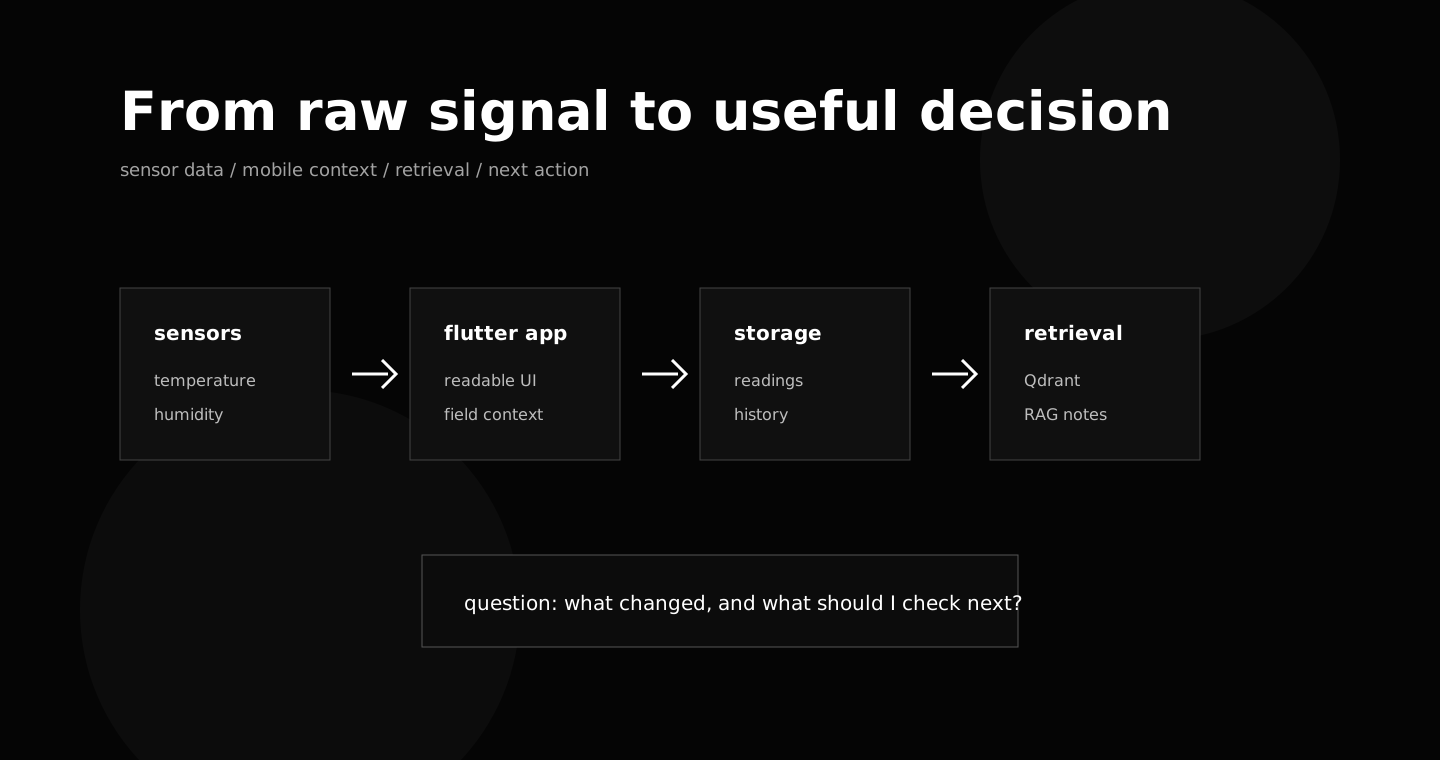
The interesting part was not one tool. It was the distance between raw signal and useful decision.
A sensor can measure something. A mobile app can display something. An AI feature can summarize something. But the system only becomes useful when those pieces help someone answer a practical question.
In crop monitoring, that question can be simple:
- what changed?
- when did it change?
- is this normal?
- what should I check next?
If the system cannot help with that, the technology is only decoration.
The shape of the prototype
The prototype connected a few layers:
- Arduino sensors for raw measurements
- a Flutter interface to make the data visible
- structured storage for readings and context
- Qdrant experiments for vector search
- RAG-oriented tests for retrieving relevant explanations
The mobile interface mattered a lot. Field data is not useful if the user has to fight the screen. The UI had to make readings feel understandable, not just technically correct.
| Layer | Role | Risk if ignored |
|---|---|---|
| Sensors | Capture the raw signal | The system has no trustworthy source. |
| Mobile UI | Make readings readable | The user sees data but cannot act on it. |
| Storage | Preserve history and context | Patterns disappear after each session. |
| Retrieval | Find related notes or cases | The assistant answers without grounding. |
{
  "crop": "tomato",
  "reading": {
    "humidity": 62,
    "temperature": 28.4
  },
  "question": "is this normal for the current growth stage?"
}
What AI can do here
AI is useful in this kind of system when it stays close to the workflow. It should not replace measurement. It should help organize interpretation.
For example, vector search can help retrieve similar observations. A RAG flow can connect a current reading to notes, previous cases, or explanations. That creates a path from “data exists” to “data can be used”.
The best AI feature is often quiet. It reduces the time between noticing something and deciding what to do next.
What I learned
The strongest lesson was that prototypes need a clear center. If the center is “use AI”, the project becomes vague. If the center is “help someone understand crop conditions faster”, the technical choices become easier to judge.
That is the difference between a demo and a useful tool.